
SaleSystem / Spa front desk checklist
Spa Front Desk Checklist: Keep Every Promise in View
The next shift should not have to guess what you promised a client. Use this spa front desk checklist to keep bookings, callbacks and open requests moving—even on a busy day.
By SaleSystem · · Operations
Start with the work that is still open
A neat desk is useful. A clear list of people waiting for help is better. Before you check supplies or tidy the lobby, review the last shift’s open requests and today’s appointments.
This checklist is for day spas, facial studios and massage businesses. Med spa teams can use the same front-desk steps for bookings and callbacks. Send treatment or medical questions to the right provider; keep clinical details in the approved record, not a desk handoff sheet.
Keep the live task list in a shared, access-controlled place. A personal notebook can help you remember, but it cannot tell the next shift what still needs doing.
Opening checklist: know who needs help first
Read the last handoff
Check unfinished requests, the named owner and the next action. If a promised callback is overdue, decide who will make it before new work piles up.
Review today’s bookings and changes
Look for moved visits, open gaps and requests that still need a reply. Confirm changes with the team before offering a time to a client.
Check calls, texts and emails
Read the full thread before replying. A client may have left a voicemail, then booked by text. Check the booking first so you do not ask them to do the same thing twice.
Give each open request an owner
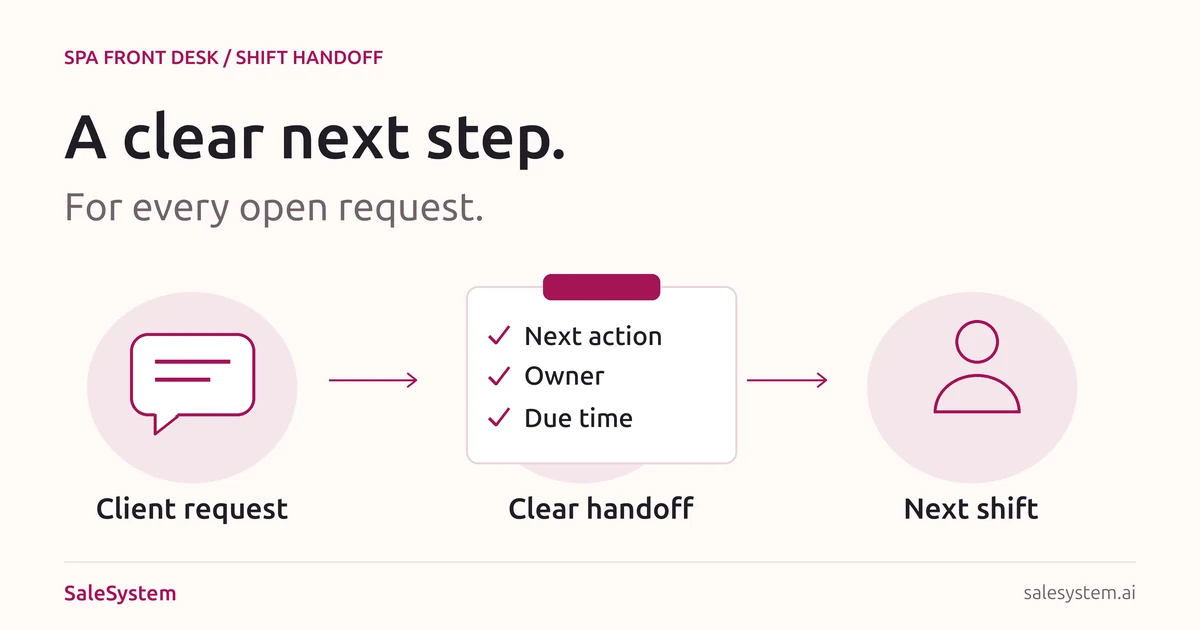
“Someone will call” is not a handoff. Name the person, the next step and when it is due. Put the task with the client record where your team can find it.
Check the offer and booking links
Know which offers are live and what they include. Open the booking link you plan to share. If a client asks about a service or membership, use the current terms rather than an old message.
Shift handoff: pass on the promise, not the whole story
Before you leave, review each item that still needs work. Keep the note short enough for a teammate to act on without asking you to explain it again.
| Field | What to record |
|---|---|
| Client record | A link or internal reference, not copied private details. |
| Request | What the client wants help with. |
| Last action | What was done and whether the client replied. |
| Next action | The one step that moves the request forward. |
| Owner and due time | Who will do it and when the client expects an answer. |
Ask the incoming teammate to confirm they have the open items. For a solo owner, leave the same note for yourself before you close.
Copy-ready handoff note
Client record: [Internal link]
Request: [What they need]
Last action: [What we did and when]
Next action: [One clear step]
Owner: [Team member]
Due: [Day and time]
Done when: [What closes this request]
Example: moving a massage appointment
Weak note: “Client called. Please follow up.”
Request: Move the massage to Friday afternoon.
Last action: Asked the client which time works; waiting for a reply.
Next action: Read the reply, check availability, then confirm the new time.
Owner: Incoming desk lead.
Due: Before the callback time promised to the client.
Done when: The new booking is saved and the client has the details.
This is a sample, not a client record. Notice that it does not say the visit has moved before the time is agreed.
Handle the three requests that are easy to lose
A new inquiry arrives during a busy check-in
Save the question and create a reply task. When you return to it, answer that question first, then offer help with booking. Do not close the task just because a message was sent if the client still needs an answer.
A client cancels and wants another time
Record both parts: the canceled visit and the request to rebook. Confirm the change, then help with the next date. If you want to offer the open slot to someone else, use your same-day cancellation plan.
A member asks about an unused benefit
Check their membership details and your current terms. If a manager needs to help, assign the question and give the client a clear reply time. Do not promise a credit, refund or exception before it is approved.
Closing checklist: leave tomorrow ready
- Check unanswered calls, texts and emails against the task list.
- Make sure every open item has a next action, an owner and a due time.
- Review tomorrow’s booking changes and any client requests the opening team needs.
- Record what actually happened: booked, waiting for a reply, needs a callback or complete.
- Keep paper notes out of public view and sign out of shared devices.
- Leave one clear handoff, not several competing lists.
If you cannot finish a promised callback before closing, make the next step clear to the client during your staffed hours. Avoid promising a reply time your team cannot meet.
Make the checklist easy to use every day
Start with one shift. Ask the incoming teammate which notes let them act right away and which forced them to ask a question. Use that feedback to tighten the handoff.
Keep “waiting for client” separate from “needs staff reply.” Check existing messages before starting another follow-up. Respect each client’s contact choices and stop when they ask you to stop.
SaleSystem’s spa software brings client history, calls, texts and follow-up tasks together. Your team can find the conversation and the next step without passing around a private notebook. For consultation-led teams, see med spa CRM software.
Once the handoff is working, use our front desk automation guide to decide which routine tasks to simplify next.
Give your front desk one place to pick up the day
Try SaleSystem free for 14 days. Manage your leads, follow up with clients and book appointments in one place.