SaleSystem / Lead follow-up
Med Spa Lead Follow-Up
Help interested leads book their first appointment. SaleSystem brings calls, texts and automated follow-up together so your team can reply sooner and stay in touch.
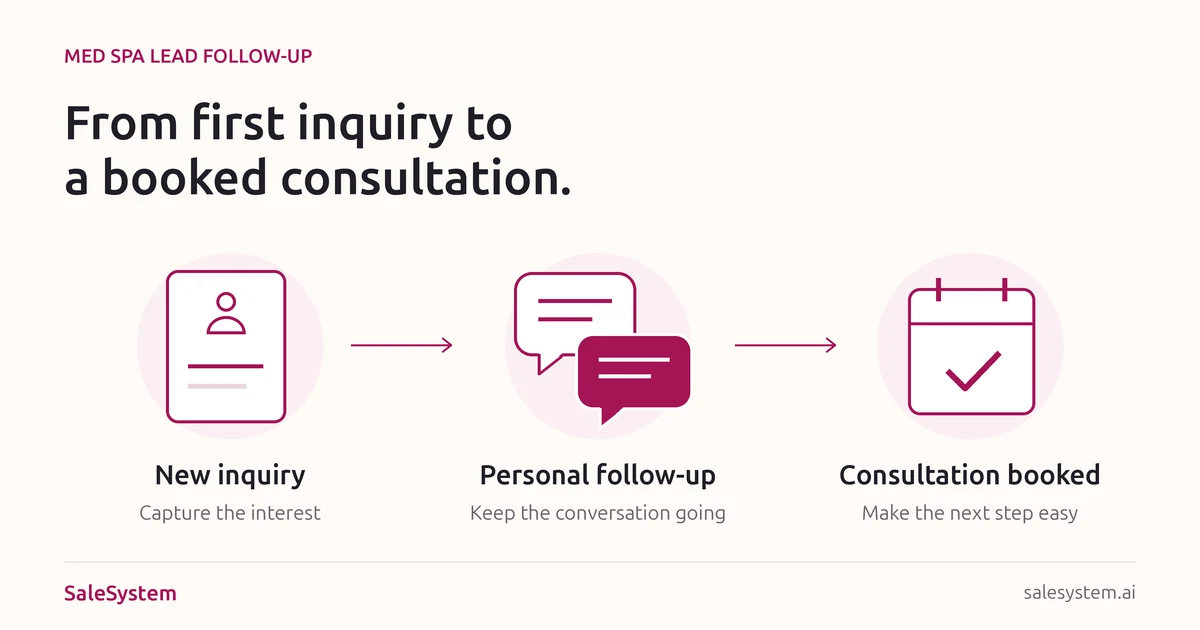
Follow up from the first question to the next visit
Keep new leads organized
Find each lead’s contact details, questions and conversation history in one place. See who needs a reply and who is ready to book.
Call or text without switching tools
Reach out from SaleSystem with the lead’s history in front of you. The next team member can see the conversation too.
Automate follow-up messages
Set up timed texts, emails and staff reminders. Follow up with leads who have not booked while your front desk handles the day’s appointments.
Make booking easier
Send a booking link or help the client schedule a consultation. Keep appointment details with the client record.
Bring clients back
Use client history to follow up after a visit and reach out when it is time to book again.
Turn a price question into a useful next step
Help a price inquiry become a booked visit with a clear answer and a personal reply. SaleSystem keeps calls, texts, emails and follow-up tasks with the lead, so your team can carry a good conversation through the next shift.
Keep the price answer with the lead
A client asks what an offer includes, then calls back tomorrow. See the earlier reply and the question together. Give them the detail they need without asking them to start again.
Hand off the open question
A manager needs to confirm an offer term. Give that question a named owner and due time. The next teammate can find the promise and help finish it, instead of chasing a loose note.
Help them book when they are ready
Once the client has the answer, help them choose a time. Keep the conversation close to the booking so your desk knows what was discussed when the guest arrives.
A price comparison should not restart the conversation
“Another spa quoted less” is easier to answer when the first quote is in view. Your team can explain what your offer includes, find the open question and reply with the same care across calls and messages. Shared history helps a second teammate pick up where the first one left off.
Give your staff a confident starting point with our med spa price inquiry scripts. Use the price comparison and budget replies and free price reply kit to help your team answer well.
Less note chasing leaves more time to help
Use workflows for routine follow-up and staff tasks for the answers that need a person. A requested callback stays with the lead, ready for the next shift. Your desk gets more time for useful conversations and less work piecing them together.
Marketing includes CRM, conversations and follow-up workflows. Booking and payments are part of the Operations Complete add-on. See med spa plans to choose the setup your desk needs.
Try a price-question handoff during your 14-day free trial. Add a sample inquiry, leave an answer and ask a teammate to find it and finish the next task. Start your free trial.
Give your front desk more time for clients
Your team should not have to search an inbox, a spreadsheet and a notebook to answer one question. SaleSystem keeps leads, messages, notes and follow-up tasks together.
Automated messages handle routine follow-up. Your team can answer questions, help clients choose a time and keep the conversation personal.
See Med Spa CRM Software →Pick up the conversation after a missed call
Check recent calls and messages before reaching out. The person may need a first consultation, a change to an existing visit or an answer from another teammate. Our missed call callback guide gives your desk scripts and a simple plan for each request.
Help new leads book while the interest is fresh
A person asks about a consultation, then waits while your desk helps the client in front of them. Keep that new question within reach. SaleSystem brings calls, texts, emails, client history and staff tasks together, so your team can give a useful answer without hunting through several tools.
Start with the question they asked
See the earlier call or message before you reply. Give the lead the price, location or booking detail they need, then help them choose a time. A personal answer gives the conversation somewhere to go.
Keep the next reply moving
Use follow-up workflows for routine messages and staff tasks for questions that need a person. Assign the open answer to a teammate with a due time, so the promise stays in view through a busy shift.
Make the handoff easy to pick up
A lead texts back while the first staff member is away. The next teammate can read the conversation and find the task beside the client record. They can carry on helping instead of asking the person to start again.
Give your desk more time for booking conversations
Shared history cuts the hunt for yesterday’s answer. Clear tasks keep a requested callback close to the lead. With the conversation and next action together, staff can spend more of the day helping interested people take the next step.
Want to find where new leads are waiting? Our med spa lead response time guide helps you build a coverage plan. Download its free lead response log to spot missed handoffs and choose the first fix.
Start with Marketing for CRM, conversations and follow-up workflows. Add Operations Complete for booking and payments. See med spa plans or start your 14-day free trial to bring new inquiries and replies into one place.
For the next part of the conversation, use our med spa lead questions and pipeline stage guide. Explore the Med Spa Revenue Calculator to estimate what reaching more of your existing leads could mean for visits and revenue.
Keep the conversation going after a consultation
A quiet inbox should not end a good conversation. The client came in, asked questions and left without booking. SaleSystem keeps the conversation and next task together, so your team can help them move forward without starting the pitch again.
One useful reply, even across shifts
A client emails about the visit, then calls while a different teammate is at the desk. Shared calls, texts, emails and client history help that teammate pick up where the conversation stopped. Less time finding the story. More time answering the question.
A price question needs a clear answer
Keep the open question with the client and assign it to the person who can answer. When the approved details are ready, the desk has the context to give a useful reply instead of sending another offer.
A busy schedule needs a helpful callback
If the client asks for next Friday, give that callback an owner and due time. Their preference stays with the record when shifts change. Staff can help find a time without making them explain the request again.
A booking needs the right next message
Read the latest replies and check the appointment before reaching out. Once the next visit is saved, help with the visit details. Keep follow-up in step with what the client needs now.
Use workflows for the routine messages you choose and staff tasks for the replies that need a person. You get a clearer daily list of who needs help, what was promised and who is taking care of it.
Give the team words they can use today. Our med spa consultation follow-up guide covers cost, timing and open questions. It now includes a consultation follow-up email and a reply plan and free team kit for the next step.
Try the reply handoff with your team
During your 14-day free trial, add a booking question to a sample client. Leave the reply, assign a callback and ask a second teammate to take over. They should have the context they need in one place, not a trail of notes to chase.
Marketing includes CRM, conversations and follow-up workflows. Add booking and payments with the Operations Complete add-on. Start your free trial or see med spa plans to bring the next conversation and visit closer together.
Give a missed visit a path back to your calendar
A client misses a consultation, then texts the next morning asking for another time. Help that reply become a new booking while the request is fresh. SaleSystem keeps the conversation, client history and next task together, so your desk can follow through without hunting for yesterday’s notes.
Pick up with the right context
Read the earlier call, text or email before reaching out. If the client already asked to move the visit, your teammate can see that request and help finish it. A personal answer feels better than another message that ignores what they said.
Keep a ready-to-book reply in view
When someone asks for Thursday, give the next step to the teammate who can help. Calls, messages and tasks stay with the client record, ready to carry the conversation from an offered time to a saved appointment.
Follow through across shifts
A manager needs to answer a fee question. The client wants a callback after work. Assign the open task with a due time, so a change of shift does not leave a willing client waiting for help.
Make returning feel easy
The next conversation should begin with the answer they need. Shared history helps your desk welcome a client back, explain the next step and keep a promise without asking them to repeat the whole story.
Give staff a helpful starting point with our med spa no-show follow-up texts. The free no-show follow-up kit includes an email and a short handoff note for the next shift.
Try a missed-visit handoff in your free trial
Add a sample client request for another time. Save a reply and assign a callback task. Ask a second teammate to find what the client needs and carry on the conversation. Marketing includes CRM, shared conversations and workflows; add Operations Complete for booking and payments. See med spa plans and start with the tools your desk needs.
Automate the routine. Keep the reply personal.
Use follow-up workflows for the steps you repeat and staff tasks for the questions that need a person. Calls, texts and emails stay close to the client history, so a teammate can pick up where the last conversation ended.
Set up each workflow around the client’s current step. Check the follow-up when someone replies, books or asks for more time. Your team gets less busywork, and clients get help that fits what they need now.
Start with the follow-up tools your team needs
SaleSystem Marketing includes CRM, conversations, pipelines and follow-up workflows. Booking and payments are part of the Operations Complete add-on. See med spa pricing for included features and the full pricing details for usage charges.
Start your 14-day free trial and bring your lead list, replies and next steps into one place. Running a day spa? Explore spa software for bookings and returning clients.
More ways to book and keep med spa clients
- Follow up with after-hours leadsHelp people who reach out while your front desk is closed.
- Make online booking easierHelp interested clients finish booking their appointment.
- Reduce consultation no-showsUse confirmations and reminders to help clients keep their appointments.
- Bring Botox clients backReconnect with clients who are ready for their next visit.
Automated follow-up questions
Can I automate med spa lead follow-up?
Yes. SaleSystem workflows can send texts and emails and create staff tasks on a schedule. You choose the messages and timing for your med spa.
Can my team still reply personally?
Yes. Staff can read the conversation, call or text the lead and help them book directly from SaleSystem.
Does SaleSystem help with returning clients?
Yes. Client records keep past conversations and appointment details together, so your team can follow up about another visit or membership.
Start using SaleSystem at your med spa
Try SaleSystem free for 14 days. Manage your leads, follow up with clients and book appointments in one place.