
SaleSystem / Med spa pipeline stages
Med Spa Pipeline Stages: Know Who Needs Help Next
A full lead list is not the same as a full calendar. Good med spa pipeline stages show who is waiting, who has booked and where your team can help. Start with a few clear labels that everyone uses the same way.
By SaleSystem · · Operations
A stage is not a task
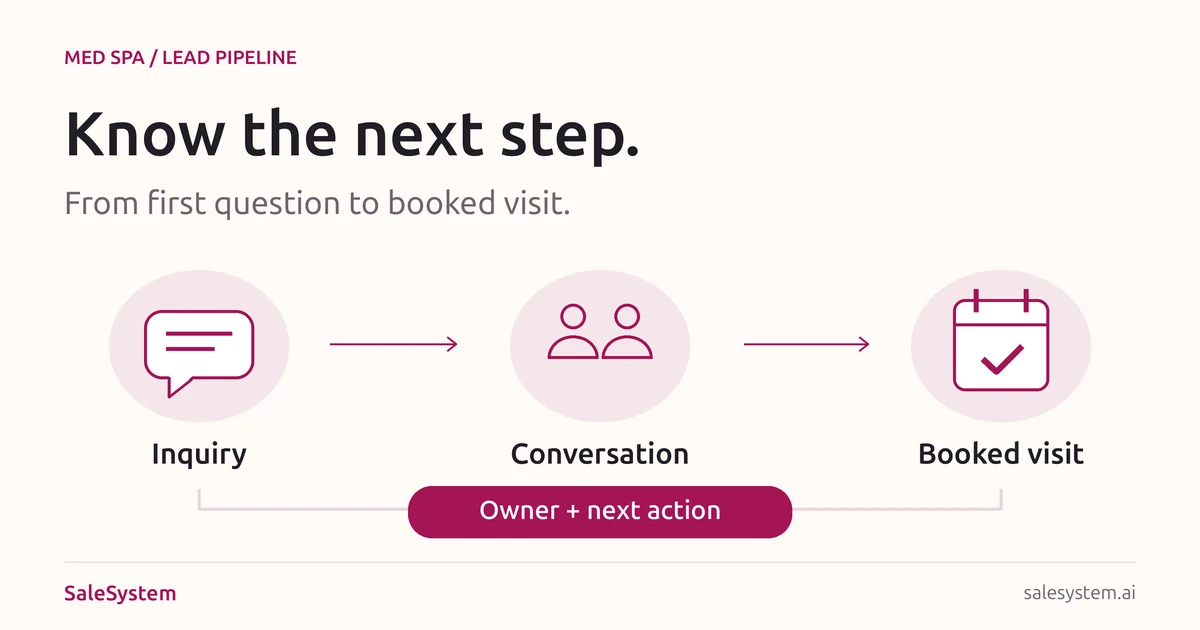
A pipeline stage tells you where a lead stands. A task tells a teammate what to do next. Keep both: “In conversation” does not tell anyone to call back on Thursday.
Use the stage for a clear fact, such as a reply received or a consultation booked. Put the next action, owner and due time in a task. Keep the conversation with the client record so staff can read it before reaching out.
The stages below are a suggested setup, not a required SaleSystem preset. Adjust the labels to your team’s booking process. You can use the same idea in a day spa by replacing “consultation” with “first visit.”
Six useful med spa CRM pipeline stages
Agree on what puts a lead in each stage and what moves them out. Use a short list first; add a stage only when it changes the work your team needs to do.
| Stage | Use it when | Next step |
|---|---|---|
| New inquiry | A person has asked for help and staff have not yet made a personal reply. | Read the request, assign an owner and answer the question. |
| Waiting for a reply | Your team has reached out but has not heard back. | Set a useful follow-up task. Check for a reply or booking before acting. |
| In conversation | The person has replied or spoken with your team, but no time is booked. | Answer the open question or help them choose a time. |
| Consultation booked | An appointment is saved for an agreed day and time. | Share the visit details and handle changes or questions. |
| Consultation attended | The visit is recorded as attended. | Close this booking goal and record any agreed next step. |
| Closed for now | The person declined, the inquiry was not a fit or your follow-up has ended. | Record a short reason. Respect any request not to be contacted. |
Do not count a sent booking link as a booking. Do not count a booked visit as an attended visit. These small rules make the board useful when the owner asks what still needs attention.
Keep three things out of your stage names
Every call attempt
“Call one,” “call two” and “text three” describe your activity, not the client’s progress. Keep attempts in the contact history. A lead can still be waiting for a reply after more than one attempt.
Vague heat labels
“Hot” means different things to different people. “Asked for a Friday time” gives staff a real next step. Save that request in a note and create a task to help book it.
Private treatment details
A shared sales board only needs enough detail to handle the booking. Keep medical questions and treatment details in your approved clinical process. A lead stage is not a clinical decision.
Sample lead walkthrough
Imagine someone asks, “Do you offer evening consultations?” Here is how the team could handle it:
New inquiry
The desk assigns the reply to one teammate. That person checks the current schedule and answers the evening-hours question.
Waiting for a reply
The answer has been sent. The task says when to check back, but the lead is not marked as booked.
In conversation
The person replies that Thursday could work. Staff check the times and help them choose one.
Consultation booked
The time is agreed and the appointment is saved. Staff check that any unbooked-lead follow-up is stopped or changed, so the person does not get another “ready to book?” message.
After the visit, update the record based on what happened. If the client cancels, give the rebooking request an owner. If they do not attend, use your no-show follow-up plan rather than marking them as attended.
A daily pipeline checklist
At the start of the day, review these groups in order. Name one person to handle each item you find.
- People waiting on your team: unanswered questions and promised callbacks that are due.
- New inquiries: requests that still need a personal reply.
- Open conversations: interested people who need help choosing a time.
- Bookings and changes: check that the stage matches the appointment record.
- Quiet leads: review the last contact before deciding whether another message is useful.
Copy-ready pipeline review note
Lead record: [Internal link]
Current stage: [What has happened]
Open question: [What they need]
Next action: [One useful step]
Owner: [Who will do it]
Due: [Day and time]
Move stage when: [The next fact is confirmed]
Review contact choices before sending a message. An opt-out is a stop instruction, not just another pipeline label. Keep it in the system’s contact controls and do not restart outreach by moving the lead.
Fix the point where leads get stuck
If new inquiries pile up, check reply ownership. If conversations stall, read the questions: people may need clear visit details rather than another generic reminder. If booked visits do not happen, focus on confirmations and changes.
Look at one part of the journey at a time. A growing list of old leads can make the pipeline look busy without giving your team useful work. Close finished follow-up with a reason, and keep the client history for context.
SaleSystem’s med spa CRM brings lead stages, client history, calls, texts and staff tasks together. Your team can see where a conversation stands and act from the same place. For help with the messages themselves, see med spa lead follow-up.
Once the stages are clear, use the spa front desk checklist to carry open tasks between shifts. The board shows progress; the handoff keeps today’s promises moving.
Turn your lead list into a clear plan for today
Try SaleSystem free for 14 days. Manage your leads, follow up with clients and book appointments in one place.