
SaleSystem / Missed call follow-up
Med Spa Missed Call Follow-Up: What to Say Next
The phone rings while your team is helping someone at the desk. When you call back, make that person feel remembered—not dropped into a sales pitch. These med spa missed call follow-up scripts help staff find the request, give a useful answer and agree on what happens next.
By SaleSystem · · Operations
Read before you return the call
Check the call history, any voicemail and recent messages. Someone may have reached another teammate, booked online or called to move a visit. A missed call by itself does not tell you what they need.
If the number matches a client record, read the latest note before calling. If it does not, start with a simple question rather than guessing at the service. Keep private visit details out of voicemail and ordinary texts.
Use med spa CRM software to keep calls, messages and tasks together. Your team should be able to see what happened before choosing the next step.
Five missed call follow-up scripts
Use these as starting points. Replace the brackets, keep your tone warm and leave room for the caller to answer.
When you do not know why they called
Hi, this is [Name] from [Med Spa], returning your call. Is now a good time? What can I help you with?
Listen first. If they want a consultation, answer the booking question and offer real times. If they need something else, send the request to the right person rather than continuing a booking script.
When they asked about a consultation
Hi [First Name], it’s [Name] from [Med Spa]. Thanks for your message. You asked about consultation times. Would you like me to check what works with your schedule?
Use only the detail they actually shared. Confirm the location, day and time before saving a booking. Explain any fee or deposit before asking them to commit.
When they need to change a visit
I can help with that. Let me check your booking and the available times. Which day would work better for you?
Follow your identity-check process before discussing a booking. Confirm the agreed change and explain any relevant policy plainly. Check that the old time is no longer active; do not leave the client with two bookings.
When no one answers your callback
Hi, this is [Name] from [Med Spa], returning your call. You can reach our team at [Callback Number] during [Staffed Hours]. Thank you.
Keep the voicemail brief. Do not name a treatment, quote a balance or ask for private details. Record the attempt and follow your agreed contact plan, rather than having several staff call again.
When the caller has already booked
Thanks for letting me know. I can see the next step is arranged. Is there anything else you need help with before your visit?
Check the booking before saying it is confirmed. Close the old callback task or change it to the help still needed. A sent booking link alone is not a saved appointment.
A missed call text-back example
If texting is allowed under your consent and contact rules, keep the message focused on the call:
Hi, it’s [Name] from [Med Spa]. Sorry we missed your call. Would you prefer a callback, or would you like help here?
Use a number your team monitors. If you are closed, say when staff can reply instead of implying someone is online. A person who replies needs an answer, not another copy of the same message.
A missed call is not permission for a marketing series. Honor opt-outs, use your approved messaging setup and avoid sending repeated texts for repeat rings. Our SMS follow-up guide has more ways to keep messages useful.
One request, one owner
Choose who handles callbacks during each shift and who covers breaks. That owner checks recent replies before acting and leaves a clear note if someone else needs to take over.
Example: two calls about one appointment
A client calls twice while the desk is busy, then sends a text asking to move Friday’s visit. Staff should handle one rescheduling request, not launch three separate follow-ups.
The callback owner reads the text, helps choose a new time and records the change. The other call entries remain part of the history, but they do not need three new sales tasks.
Vendor calls, wrong numbers and spam should not become new consultation leads. If the request concerns a medical issue, follow your clinical escalation process instead of using a sales callback script.
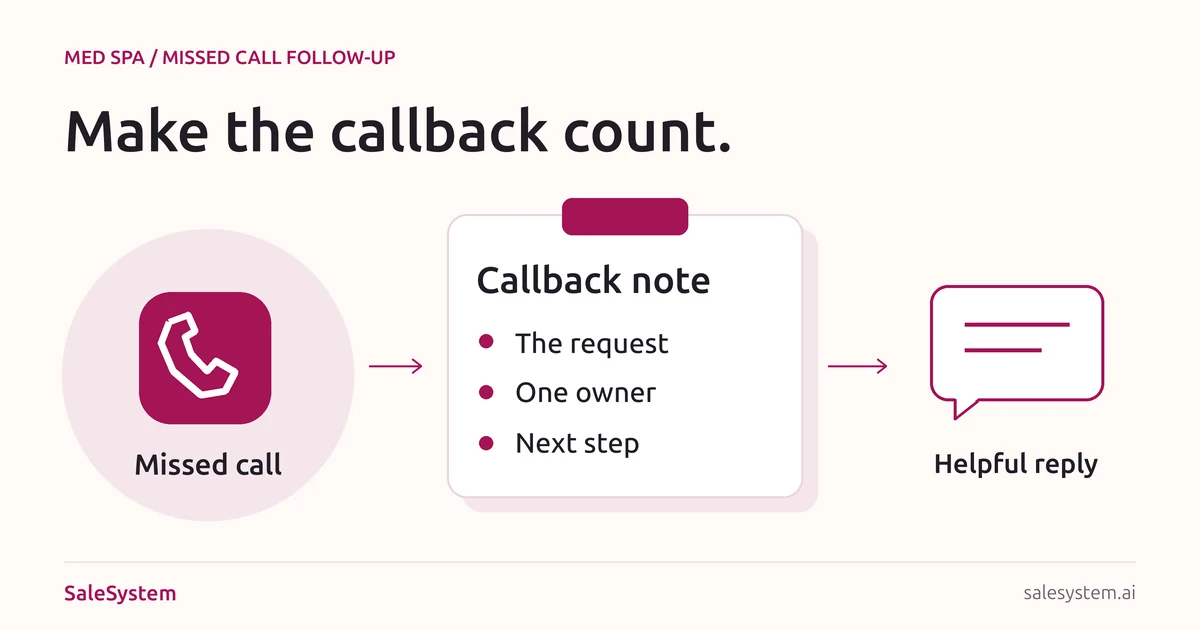
Copy-ready callback note
Keep this short note with the client record, where the next shift can find it:
Client record: [Internal link, if known]
Request: [What the caller needs, or not yet known]
Latest contact: [Call, voicemail or reply and time]
Next action: [One useful step]
Contact choice: [Agreed channel and time]
Owner: [Team member]
Done when: [Question answered, change confirmed or follow-up closed]
If a person says “call after work,” ask what time suits them. If they prefer to contact you, record that choice and stop chasing. At shift change, hand over only the requests that still need action.
Use our front desk checklist for the rest of the handoff. These callback steps also work for day spas: replace the consultation with the service the guest asked about.
A quick callback check for the desk lead
- Has each real request been read, not just marked as attempted?
- Does every open callback have an owner?
- Has another teammate already answered or booked the person?
- Do repeat calls belong to the same open request?
- Are medical questions with the clinical team?
- Are agreed callback times and requests to stop being honored?
Review what callers actually needed. If many calls ask about hours or parking, make those details easier to find. If requests pile up at lunch, plan callback coverage for that gap. If the calls are returned but no one can help, fix the handoff before adding more messages.
Make the callback easier to finish
SaleSystem’s med spa CRM puts calls, texts, client history and staff tasks in one place. A teammate can pick up the request without asking the caller to start over.
Use lead follow-up tools for new inquiries that need a next step. Marketing includes CRM, conversations and workflows; booking and payments are part of the Operations Complete add-on. See med spa plans and try the daily handoff during your 14-day free trial.
Keep the call and the next step together
Try SaleSystem free for 14 days. Manage your leads, follow up with clients and book appointments in one place.