
SaleSystem / Med spa software cost
Med Spa Software Cost: Know What You Will Pay
You want software that helps your team book visits and keep clients coming back. Before choosing a plan, make sure the price covers the work you need. This guide helps you turn a starting price into a clear budget, with a free worksheet you can use for any provider.
By SaleSystem · · Operations
How much does med spa software cost?
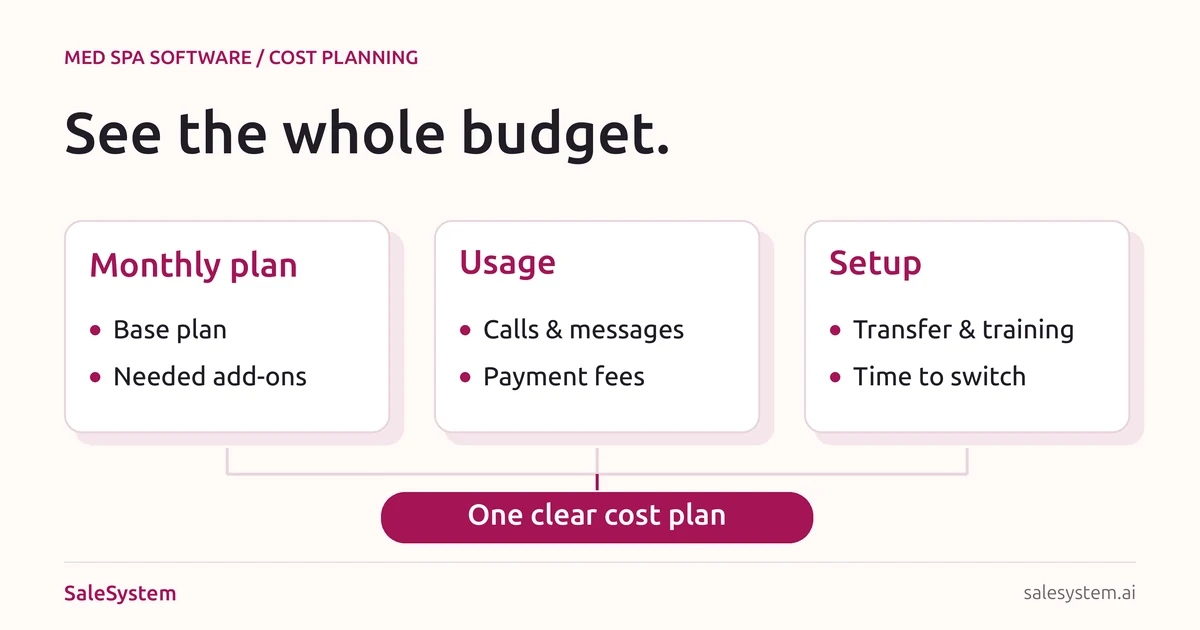
Your cost depends on the plan, team size, locations and tools you need. A monthly subscription may be only part of the bill. Add any required features, call or message charges, payment fees and setup costs before comparing options.
For example, SaleSystem’s current monthly plans list Marketing at $297 and Operations Complete at an additional $199 per account. Marketing plus that add-on for one account is $297 + $199 = $496 per month, before usage charges, payment fees, taxes or any other services you choose. This is the monthly-billing plan total, not an all-in quote or the annual-prepay rate. See current med spa pricing for the full plan terms.
The checklist below works for a med spa, day spa or massage studio. A med spa should also list its clinical-system needs with the clinical lead. A day spa can focus on bookings, client care, payments and repeat visits.
Put each cost in the right group
Ask the provider to mark each item as included, extra or not offered. Leave an unknown price open until you get an answer; a blank quote line is not a free feature.
| Cost group | What to check |
|---|---|
| Monthly costs | Base plan, paid users or calendars, locations, required add-ons and support level. |
| Usage charges | Call minutes, phone numbers, text messages, email and any included allowance. Ask how overages are billed. |
| Payment fees | Rates for in-person and online payments, per-payment charges, hardware and other payment terms. |
| One-time costs | Setup, data transfer, training and equipment. Ask which are included and which need a quote. |
| Costs during the switch | Any overlap with your old plan, staff setup time and paid help for work outside the transfer scope. |
| Costs when you leave | Notice periods, remaining contract charges and any fee to export the records you need. |
Providers do not all bill the same way. For instance, Mangomint’s pricing page separates location and user charges, optional add-ons and payment rates. Compare the setup your own team needs, not two starting prices with different features.
Use the same business details for every quote
Write down your locations, staff who need access and the jobs the system must handle. Use recent bills to estimate calls, texts and card payments. Give each provider the same details so the quotes are useful side by side.
Keep must-haves separate from nice-to-haves. If your main problem is missed replies, put shared messages and follow-up first. If the desk needs one place to book and take payment, include those tools in the plan you price.
Our medical spa software buying guide helps you compare the daily work. Use this page for the cost side of that choice.
Build a normal-month and first-year budget
No email required. Open the CSV in Excel or Google Sheets. It has blank rows for your quotes; it does not calculate totals for you.
A normal month
Base plan + required add-ons + expected usage charges + payment fees + other recurring costs = your expected monthly bill.
For payment fees, use the rates in your quote and your own payment totals. Keep in-person and online payments separate if their rates differ. A percentage fee uses the amount processed; a per-payment fee uses the number of payments.
Your first year
Subscription charges due in the year + expected usage and payment fees + one-time setup + old-system overlap = your first-year cash budget.
Do not count an annual prepayment twice. If you pay the plan for a year up front, use that quoted payment instead of adding twelve monthly subscription bills. Write down when each charge is due so a lower yearly total does not hide a larger opening payment.
Add a normal month and a busier month to your notes. More messages or card payments can change usage costs even when the plan price stays the same. Keep unknown fees in a short list to confirm before you sign.
Count only the tools you can really replace
A shared system can reduce the number of tools your desk juggles. List the subscriptions it could replace, then check that the needed job works before counting any saving.
For example, moving texts into a shared conversation view may remove a separate texting tool. It does not mean you can cancel a clinical-records system or payroll service. Check each job on its own.
Keep any old-system overlap in the switch budget. Do not cancel access until the needed records, open bookings and billing tasks are covered. Our spa software switching checklist helps you plan that move.
Seven questions to ask before choosing a plan
- Which plan and add-ons cover the exact tasks we tried?
- Who counts as a paid user, and what happens if we add a location?
- What usage is included, and what are the extra rates?
- Which payment rates apply to our in-person and online sales?
- What does setup cover, and what work will our staff still do?
- What will we pay up front, at renewal and if we cancel?
- How do we export our records, and is there a charge?
Save the answers with the quote date, billing period and offer terms. If a promised feature needs another product, include that cost before making the choice.
Choose the plan your front desk will use
SaleSystem brings calls, texts, emails, client history and follow-up tasks together. Your team can answer a question and keep the next step with the client, instead of passing notes between tools.
Marketing includes CRM, conversations and workflows. Add booking and payments with Operations Complete. Check med spa plans, or day spa plans if that fits your business.
Use the 14-day free trial to try a new inquiry, a callback and a staff handoff with sample records. Contact Sales to confirm your setup and costs. Choose for a smoother day, with a bill you understand.
Spend on a simpler day for your team
Try SaleSystem free for 14 days. Manage your leads, follow up with clients and book appointments in one place.