
SaleSystem / Spa deposits at checkout
Spa Deposits at Checkout
A guest finishes a massage and hears the full price at the desk. “Didn’t I pay when I booked?” Start with what they paid. Then show what’s left. Here’s how to explain the bill and what to do if the numbers don’t match.
By SaleSystem · · Updated · Operations
Show the guest three numbers
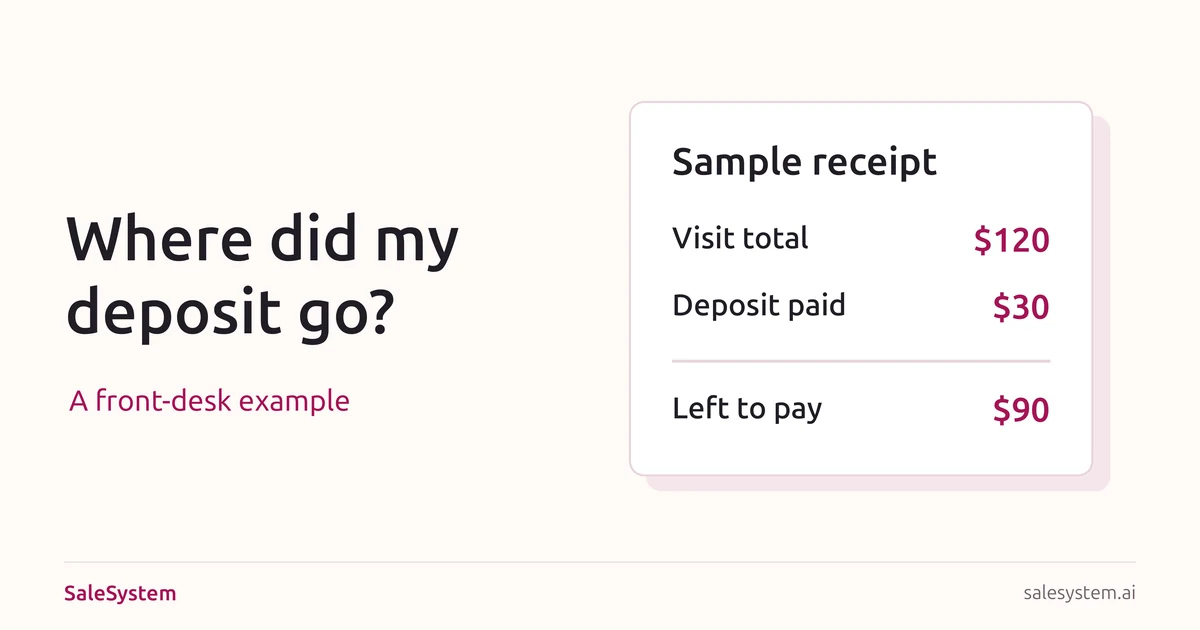
When your booking terms put the deposit toward the visit, show the final total, the payment already applied and the amount still due. Use the receipt for this appointment.
Sample bill for a completed massage
Visit total: $120
Booking deposit already paid: $30
Left to pay today: $90
Try saying: “Your massage was $120. The $30 you paid on Tuesday went toward it, so you have $90 left today. Would you like to see the breakdown?”
If the deposit covered the full total, say so. If the guest added a service, show its price on its own line before explaining the new total. Use the actual bill, including any tax that applies.
Find the payment before you run the card
- Open the visit the guest just finished. Check the service, date and location. A guest can have more than one booking.
- Match the receipt to that visit. Look for the amount, payment status and receipt reference in your payment system. A card on file, a payment link or a pending hold does not show that a deposit was paid.
- Check where the money went. Was the deposit applied to this visit, moved from an old date or already refunded? If it’s already on the bill, don’t subtract it again.
- Read back the balance. Once the guest sees what makes up the total, take the agreed payment through your usual checkout and offer a receipt.
Was the visit canceled rather than completed? Use the cancellation and deposit replies for that case.
When the guest has a receipt but your bill shows no deposit
“Thanks for catching that. Let me check the payment before I ask you to pay. Do you have the receipt date or reference? I’ll look it up here.”
Check the original visit if the guest changed dates. Ask for the receipt reference rather than card details. If the payment is on the old visit, have the person who handles payments check how to apply it to the right bill. Don’t mark a cash payment or create a discount to make the screen look right.
If your desk can’t settle it on the spot, pause the disputed charge. Tell the guest who will check and when they’ll hear back. Use a time that person can keep.
“I found your original booking. Morgan is checking which bill the payment went toward. I haven’t charged you again. I’ll call you by 3 p.m. with the answer.”
Use that last reply only when it matches what happened. If two payments have already gone through, send both receipt references for review. Tell the guest when a refund has been issued only after you can see it in the payment record.
Did the deposit move with the appointment?
A guest moves a Friday massage to Monday. At checkout, Monday’s bill shows the full price. Friday’s receipt proves the guest paid. To see what they owe today, check where that payment ended up.
- The deposit is on Monday’s bill. Point out the credit and the balance. If the new visit costs $105 and the bill already shows a $30 credit, take the $75 balance. Don’t subtract the deposit twice.
- The deposit is still on Friday’s booking. Read the terms the guest booked under. If the deposit can move, have the person who handles payments apply it to Monday’s bill and check the new balance. A staff note saying “carry it over” is a request, not a receipt.
- The original receipt shows a refund. Show the guest the amount and date of the refund. Check for a separate payment on the new booking before quoting what’s due. If the guest can’t see the refund, offer to trace it rather than guessing when their bank will post it.
“I found your $30 receipt for Friday. I’ll check it against Monday’s bill before I ask you to pay. Would you like the final breakdown by email?”
If the guest needs to leave first, agree on who will call and when. See how your front desk can pick up that callback on the next shift.
A checkout note the next shift can use
Keep this short note in your private staff record. Leave card numbers and bank screenshots out.
Visit: [Date, service and location]
Guest’s question: [What looks wrong?]
Receipt reference: [Internal reference]
Checked so far: [Paid, pending, refunded or still unknown]
Charge taken at checkout: [Amount or none]
Next step: [Person, action and time promised]
Guest update: [How they asked to hear back]
Close the task after the bill is checked and the guest gets the answer. If someone calls tomorrow, SaleSystem’s shared client history helps the next teammate pick up where you left off.
Give your front desk the full conversation
Try SaleSystem free for 14 days. Manage your leads, follow up with clients and book appointments in one place.