
SaleSystem / Spa cancellation policy
Spa Cancellation Policy Template
A guest needs to cancel. Your desk should not have to invent the answer. Set clear terms before the booking, then give each request a kind reply and a clear next step.
By SaleSystem · · Operations
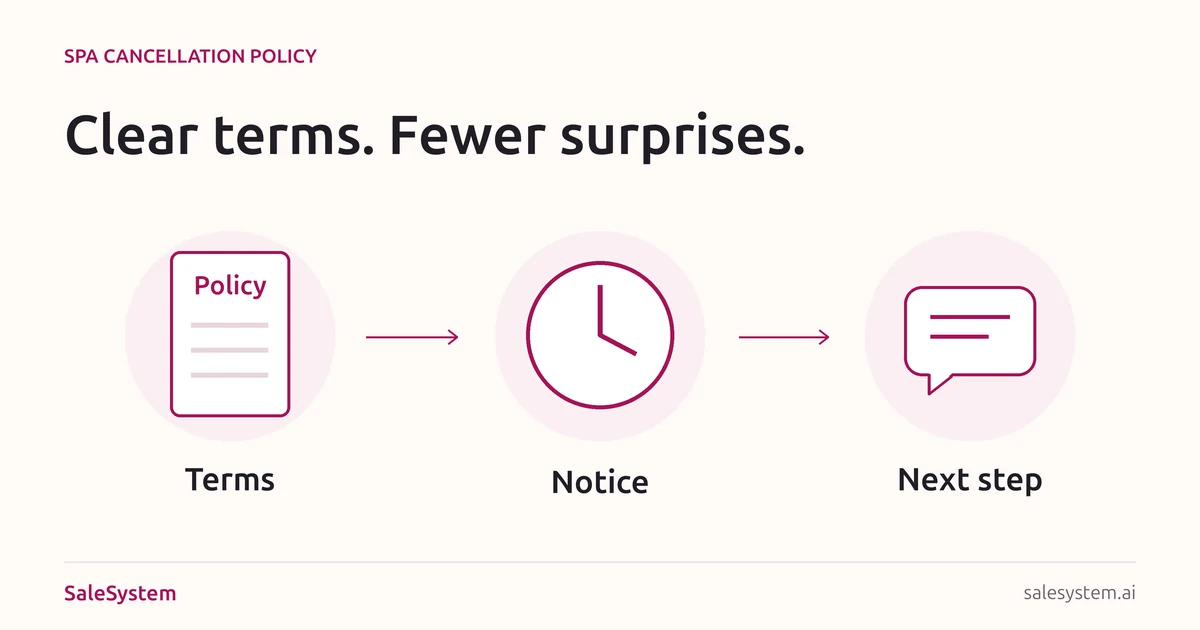
Set the terms before the plans change
A spa cancellation policy explains how to cancel or move a visit, how much notice you need and what happens to any fee or deposit. Make it easy to read where guests choose their appointment—not just after they have paid.
This guide is for day spas, facial studios and massage businesses. It helps you write the policy, not choose a fee for you. Use local legal review and check your payment provider’s rules before putting new charges or deposit terms into use. Med spas should also have their clinical team review any health-related exceptions.
Decide these details first
- Notice: how far ahead must a guest cancel or move a visit? State the time zone and how you count the deadline.
- Contact: which link, phone number or other channel accepts a change? Explain what guests can use when the desk is closed.
- Late changes and no-shows: define each one and state the approved fee, if any. Explain how late arrivals affect the service.
- Deposit handling: say whether it is returned, moved to another visit or used toward a stated charge. Explain any remaining balance.
- Exceptions: name who can review an urgent situation and how the guest can reach them.
- Spa-side changes: decide what you offer if your team has to cancel.
A fixed notice period, a percentage fee and a deposit are different choices. Do not copy another spa’s amounts without checking that they fit your business and rules.
A spa cancellation policy you can adapt
Replace every bracket, remove anything you do not use and keep one approved version for each set of booking terms.
Changing or canceling your visit
We set aside time for your appointment at [Spa]. If your plans change, please let us know at least [notice period] before your visit, using [accepted link or contact method]. Times follow [time zone]. When our desk is closed, use [after-hours method].
Late changes and missed visits
For a cancellation or move with less than [notice period], [state the exact approved fee or no-fee rule]. If you miss the visit without canceling, [state the approved no-show rule]. If you arrive late, [explain service time, price and when a visit may need to move].
Your deposit
[State the deposit amount, if used.] For a change before the deadline, [refund or transfer rule]. For a late change or missed visit, [explain how the deposit applies to any fee and whether a balance remains]. Refunds follow [approved process and expected timing].
Need help?
If an urgent situation affects your visit, contact [method]. [Role] will review the request and explain the next step.
If we need to cancel
We will contact you through [method] and offer [approved rebooking and refund options]. You will not owe a client cancellation fee for a visit we cancel.
Show the policy before booking and payment, and use your approved process to record acceptance. Keep the version that applied to each booking. Do not apply new terms to an older visit without the required notice and agreement.
Make the deadline easy to understand
Once a visit is booked, use the actual deadline in the confirmation rather than making the guest count backward. Check it against the appointment, time zone and approved notice rule before sending.
You’re booked for [Service] at [Location] on [Day, Date] at [Time]. To cancel or move this visit without [applicable fee], please use [accepted method] by [Day, Date, Time and time zone]. Your booking terms are here: [link]. Questions? Contact [desk details].
Use this wording only when it matches the saved booking and its terms. Keep promotions out of the message. If a guest needs a new time, use our spa appointment rescheduling templates for the separate change and confirmation steps.
Give the desk a kind, clear reply
When the guest asks about a fee
Thanks for letting us know, [Name]. I’ll check the terms for your [Date] visit and any deposit already paid. I’ll explain what applies before taking the next step.
Check the actual booking, notice received, accepted terms and payment record. Do not describe a fee as charged or a refund as sent until it has happened. A deposit applied toward a fee should not quietly become a second full charge.
When a guest asks for an exception
I’m sorry your plans have changed. I’ll ask [Role] to review your request and get back to you by [Time]. I have not changed the charge while we wait for that answer.
Use the last sentence only if it is true. Record the approved decision and the next action, not private details the whole front desk does not need. For an upset guest, use our complaint response guide.
If your spa cancels
Own the change. Explain the available options and have one teammate finish the rebooking or refund. Do not ask the guest to navigate the client late-cancellation rule for a change your spa made.
A short team checklist for each request
Visit: [Service, location, date and time]
Request received: [Date, time and channel]
Booking terms: [Version accepted and notice deadline]
Deposit handling: [Amount paid and approved outcome]
Decision: [Rule applied or named reviewer needed]
Appointment state: [Still booked, canceled or moved]
Payment state: [No action, pending or completed]
Client reply: [What was sent and any open question]
Next action: [Owner and due time]
A request is not a completed change
A text saying “I can’t make it” needs action. Check that the calendar is updated and the guest receives the correct reply. If payment review is still open, say so separately. Do not leave the guest wondering whether the visit is canceled just because a refund decision is pending.
Before launching a new policy, have a teammate try an on-time cancellation, a late change and a spa-side cancellation with sample bookings. Check the visible terms, deadline, reply and payment result. Then put open actions in your shift handoff.
Keep the booking and the conversation close
SaleSystem spa booking software brings client history, calls, texts and staff tasks into the same daily routine. Your next teammate can find the request and see what was promised, instead of asking the guest to start over.
Marketing includes CRM, conversations and follow-up workflows. Add booking and payments with Operations Complete. See spa plans, or use the 14-day free trial to try a booking question and a staff handoff with sample records.
Already have clear terms? For the next part of the visit, read the no-show playbook or the guide to filling a same-day cancellation.
Keep booking questions and replies together
Try SaleSystem free for 14 days. Manage your leads, follow up with clients and book appointments in one place.