SaleSystem / Spa email marketing
Spa Email Marketing: Give Clients a Reason to Book
Your spa email does not need to sell every service at once. Give the right clients one good reason to visit and one easy way to book. Use this guide to plan a welcome, a return-visit invite or a service update without starting from a blank page.
By SaleSystem · · Marketing
One email, one job
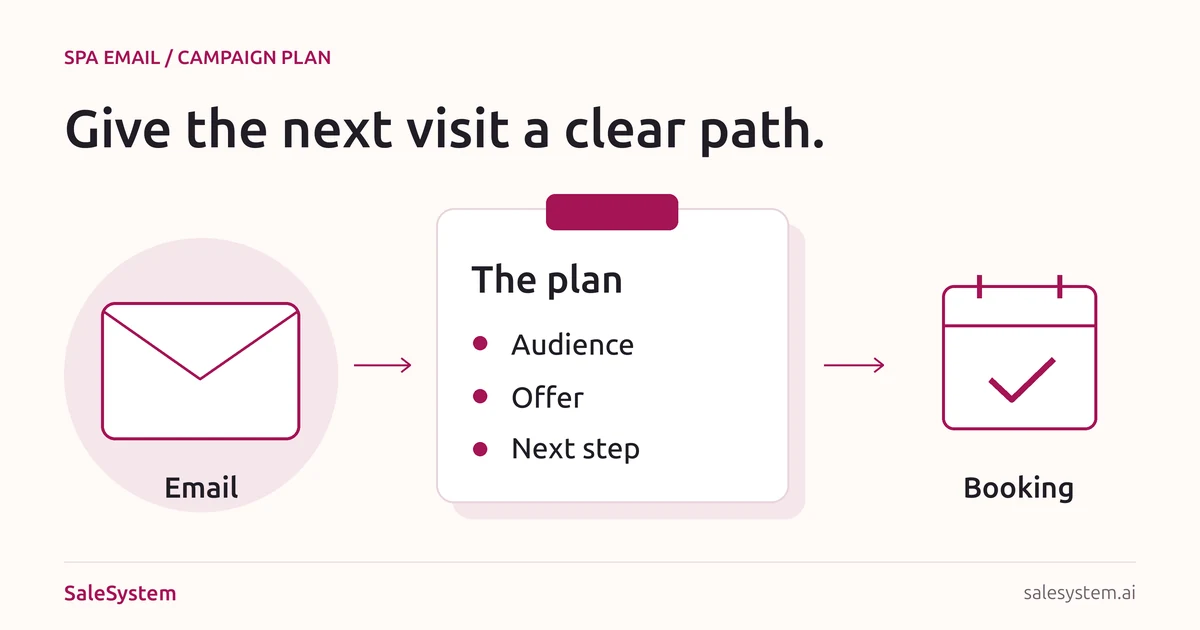
Before writing a subject line, finish this sentence: “This email helps [these clients] do [this one thing].” That choice shapes the offer, the words and the booking link.
A new subscriber may need help choosing a first service. A past guest may want a simple way to return. A regular who prefers evenings may care about new evening hours. Sending all three the same long menu makes each person search for what matters.
These examples are for day spas, facial studios and massage businesses. For a med spa, use the same planning steps for approved service information and consultation booking. Keep private treatment details out of marketing email.
Three spa email templates to make your own
Replace every bracket, check the details and send only to the right email audience. These are message bodies, not complete email footers; use the send checklist before launch.
Welcome someone who joined your email list
Use it for: new subscribers who asked for spa news, not every person who booked a visit.
Subject: Welcome to [Spa]—find your next time to unwind
Hi [First Name],
Thanks for joining our email list. We’ll share [the kind of updates you promised at signup].
Thinking about your first visit? Our [Service] includes [what is included] and takes [Length]. It costs [Price].
[View the service and book]
Not sure where to start? Reply with a question. Our team is happy to help.
[Name], [Spa]Link to that service, not a homepage where the reader has to search again. If the person already booked it, send visit help through your normal booking process rather than another first-visit pitch.
Invite a past guest to return
Use it for: past clients who can receive your marketing emails, have no next visit booked and have no open issue needing staff help.
Subject: Ready for another visit to [Spa]?
Hi [First Name],
If a little time for yourself would fit your week, we’d love to welcome you back.
You can see current times and prices for [Service] here:
[Choose a time]
Need help finding a day that works? Reply and tell us whether mornings or afternoons are easier.
[Name], [Spa]Choose the audience from real history, not a guessed treatment schedule. You do not need a discount to offer help with a booking. Exclude clients who already returned or asked not to hear from you.
Share one useful change
Use it for: subscribers who may benefit from a real change, such as new staffed evening hours.
Subject: [Spa] now has [Day] evening appointments
Hi [First Name],
Need a visit that fits around your day? We now offer [Service] on [Day] until [Closing Time].
The visit includes [Details], takes [Length] and costs [Price].
[See evening times]
Reply if you would like help choosing a slot.
[Name], [Spa]Use this only when the new hours are live and bookable. A real schedule change is a reason to write; a made-up “last chance” is not.
Make the email easy to act on
Use your spa’s name as the sender. Write a subject that matches the message and a short preview line that adds useful detail. “Tuesday evening massage appointments” tells a reader more than “Something exciting is here.”
Keep the service name, length, price and main booking link in readable text. A photo can show the space or service, but the offer should still make sense when images do not load.
Use one main button with a clear label, such as “See facial times.” Keep your phone number or reply option nearby for people who need help. Check that the linked page shows the same service, price and terms.
A one-page spa email campaign plan
Copy this before your next send. It helps the owner, desk and writer work from the same offer.
Goal: [The visit or action this email supports]
Audience: [Who this is useful for]
Leave out: [Opt-outs, already booked, open service issues, other exclusions]
Reason to write: [One real benefit or update]
Offer: [Service, price, what is included and any terms]
Subject and preview: [Accurate, short and clear]
Main link: [The matching service or booking page]
Reply owner: [Who answers and when]
Send date: [A time your team can support]
Review date: [When you will check replies and bookings]
Example: new evening massage hours
Imagine your day spa has added a staffed evening. Start with subscribers who said later visits would help. Link to the evening massage times, state the current price and put one desk teammate in charge of replies.
If someone asks for a day you do not offer, answer that question. If several people ask, share the feedback with the manager. The reply is useful information, not just an unfinished sale.
Before you press send
- Use a list your spa is allowed to email. Keep opt-outs removed; do not buy a list.
- Check the audience against recent bookings, replies and unresolved service issues.
- Replace every placeholder. Confirm the service, price, hours and any offer end date.
- Send a test to your own team. Read it on a phone with images on and off.
- Click the booking link and check that the right service and location open.
- Reply to the test. Make sure it reaches someone who can help.
- Use accurate sender details and a truthful subject. Make the promotional purpose clear.
- Include your valid postal address and an easy way to stop marketing emails. Test that path and honor opt-outs promptly.
For US commercial email, review the FTC’s CAN-SPAM guide. Keep required email details in your sending template so they are not lost when staff reuse the examples.
Choose a pace your team can support
Start with one useful campaign, not a full calendar of filler. Send when you have something relevant to say and someone is ready to answer. A smaller, well-matched audience is a better starting point than emailing every record you have.
Keep newsletters, booking notices and personal replies separate in your plan. Check other active follow-ups so one guest does not receive several invitations for the same visit. Do not resend to everyone just because the first email got few opens.
After a reply, help with the question. If the person books, update the follow-up. If they decline or opt out, respect the choice rather than moving them into another campaign.
Bookings, not just opens
Check replies, visits booked, visits attended and opt-outs. Open counts alone do not tell you whether an email helped someone choose a visit.
Use a clear campaign name and, where your tools support it, a tagged booking link. Record bookings that staff help arrange by phone or reply, too. Keep tracked campaign bookings separate from all bookings during the same week.
- Clicks but few bookings: open the link on a phone. Check the service, available times and price.
- Many questions about the same detail: add that answer to the next email and service page.
- Replies waiting too long: fix the reply handoff before sending to more people.
- Opt-outs or complaints: review the audience, promise at signup and sending pace.
Bring the campaign and the conversation together
SaleSystem’s spa marketing tools keep client history, emails, calls and follow-up tasks together. When someone asks about a visit, the next teammate can read the conversation and help.
Marketing includes CRM, conversations and workflows. Booking and payments are part of the Operations Complete add-on. See current plans and try the email-to-reply handoff during your 14-day free trial.
For the wider front-desk setup, explore spa software. For a conversation at checkout, use our spa rebooking scripts. Keep unfinished replies in your shift handoff.
Keep your spa emails and client replies together
Try SaleSystem free for 14 days. Manage your leads, follow up with clients and book appointments in one place.