SaleSystem / Spa review request templates
Spa Review Request Templates That Feel Natural
A client should not have to hunt for your spa’s review page. A short thank-you and the right link make it easy to share their experience. Use these spa review request templates for a warm, simple invitation—not a push for five stars.
By SaleSystem · · Marketing
Make the request easy to answer
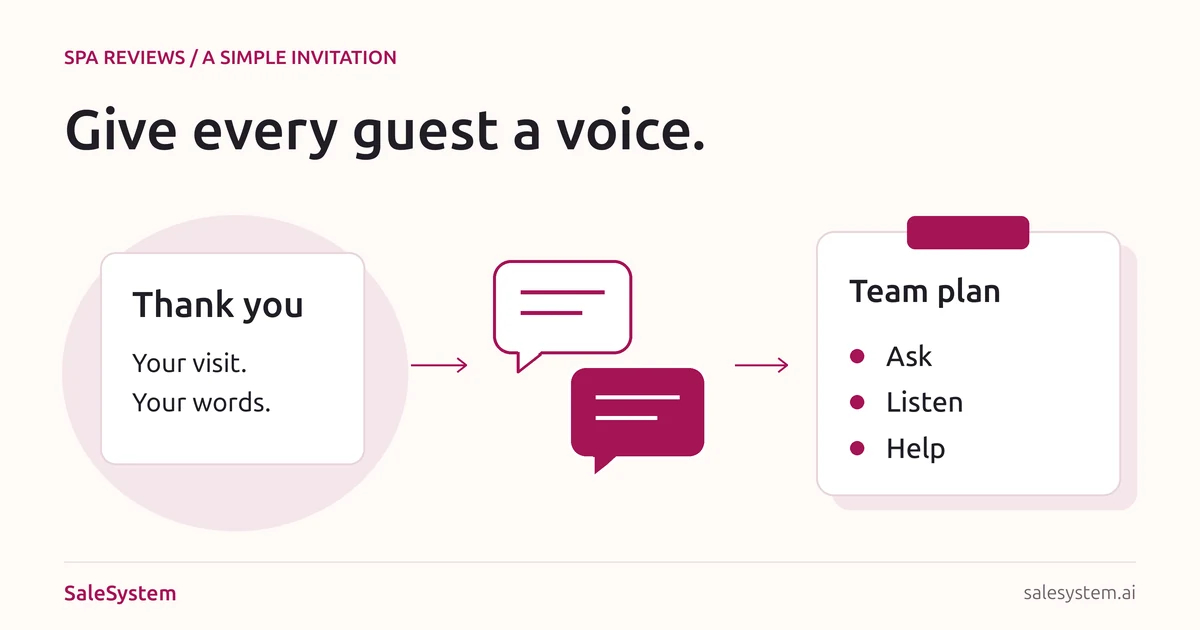
Thank the client, invite an honest review and give them one direct link. Let them choose whether to take part. You do not need a discount, a long message or a script for what they should write.
Start with the review link for the location they visited. Open it on a phone before sharing it. Google lets businesses share a review link or QR code; clients need to sign in to a Google Account to leave a review. See Google’s tips for requesting reviews.
The examples below suit day spas, facial studios and massage businesses. Med spas can use the same neutral wording, with their approved contact and privacy rules. Leave treatment names and private visit details out of the request.
Three spa review request templates
Replace the brackets with your real spa name and location link. Use only channels the client has agreed to receive these messages through, and honor opt-outs.
A short text after a visit
Hi [First Name], thank you for visiting [Spa]. If you’d like to share your experience, you can leave an honest Google review here: [Review Link]. Thank you, [Name] and the [Spa] team.
Send from a number your team monitors. Keep your approved opt-out wording in the sending template. If the client replies with a question, answer it instead of sending another review request.
A simple thank-you email
Subject: Thank you for visiting [Spa]
Hi [First Name],
Thank you for spending part of your day with us. If you’d like to share your experience, we welcome your honest feedback.
[Leave a Google review]
If you need help or have a question, you can also reply to this email.
Thank you,
[Name], [Spa]Link the review button to the correct location. Keep your normal business details and unsubscribe option in the email footer. The reply option is open to everyone; it is not a step people must pass before seeing the review link.
A relaxed mention at checkout
Thank you for coming in. If you’d like to share your experience later, our review link is on this card. We’d love to hear your honest feedback.
Offer the card and let the client leave. Do not ask them to post while you watch, hand them a staff device or tell them which words to use. A printed QR code should open the same location’s review page.
Choose a calm moment, not a magic hour
Use a point after the visit when the guest has had time to leave. Pick a simple timing rule your staff can follow for completed visits, rather than asking each person to guess who might leave a good rating.
A short thank-you later that day or the next day is one approach to try, not a promise of more reviews. Check other planned messages first. A client should not get an email, a text and a personal request from three different teammates for the same visit.
Start with one invitation. If someone declines, opts out or has already told you they left a review, do not keep asking. For frequent visitors, set a sensible repeat-request gap so every massage or facial does not start another message.
Keep the invitation open to honest feedback
Use the same fair request rule for clients who meet your visit and contact rules. Do not first ask for a satisfaction score and show the Google link only to people who give a high score. That turns a review request into a filter for praise.
Google’s review policy prohibits incentives and selectively asking for positive reviews. Do not trade a discount, free add-on or giveaway entry for a review. Ask for the client’s own experience, not five stars or a mention of a staff member.
If someone needs help, give the issue an owner and follow up privately. Help is not a trade for changing or removing a review. Keep a clear public-review path for everyone rather than steering unhappy guests away from it.
A copy-ready review request plan
Put this short plan where the desk can find it. It keeps location links, timing and replies clear across shifts.
Location: [Spa branch]
Review link: [Tested link for this location]
Who gets the invitation: [Completed visits that meet our contact rules]
When: [One agreed time after the visit]
Channel: [Allowed email or text, not both by default]
Repeat-request gap: [Our chosen gap for regular visitors]
Before sending: [Check earlier requests, replies and opt-outs]
Reply owner: [Team member and cover for time off]
Open questions: [Client record and next task]
Weekly check: [Broken links, duplicate requests and unresolved replies]
Example: a regular massage guest
A guest visits each month. They received a request after their last visit and replied with a parking question. The next teammate reads that conversation and answers the question. They do not send the same invitation again just because a new appointment ended.
Keep the last request and the next task with the client record. Use your front desk shift handoff when a reply needs help from someone who is not on duty.
Check these details before sending
- The guest had a real visit, and the message fits your contact rules.
- The spa name and review link match the right location.
- The wording asks for honest feedback, with no reward or rating request.
- No satisfaction-score screen blocks access to the public review link.
- Recent requests, replies and opt-outs have been checked.
- The message contains no private treatment or health details.
- The link works on a phone, and a teammate can answer replies.
- Any required sender and opt-out details remain in the message.
Listen after you ask
Read new reviews and look for useful themes, such as clear prices, arrival directions or wait times. Fix a repeated problem at its source. Sending more requests is not a substitute for making the visit better.
Keep public replies brief and respectful. Do not post booking history, payment details or private notes to defend the business. A med spa should use its approved privacy process and avoid confirming that a reviewer is a patient.
A neutral reply can be: “Thank you for sharing your feedback. Please contact [Manager] at [Business Contact] if you would like to discuss a concern.” Handle the details in the right private channel.
In your weekly check, separate requests sent, new reviews and open client questions. Do not claim that every new review came from your messages or that more reviews guarantee bookings.
Make follow-up feel like part of the visit
SaleSystem’s spa marketing tools keep client history, texts, emails and staff tasks together. Your desk can see the earlier conversation, avoid repeating itself and help with the next question.
Marketing includes CRM, conversations and workflows. Add booking and payments with Operations Complete; see current plans. Try a sample thank-you and team-owned reply during your 14-day free trial.
For the wider setup, explore spa software. Use our spa email guide for campaigns and rebooking scripts when a guest wants to plan another visit.
Keep the next client conversation in reach
Try SaleSystem free for 14 days. Manage your leads, follow up with clients and book appointments in one place.